REF. SVC-03 — Service sheet
Buy a Business Printer in Belgium, New or Refurbished
Purchase professional printers with installation and optional maintenance contracts.
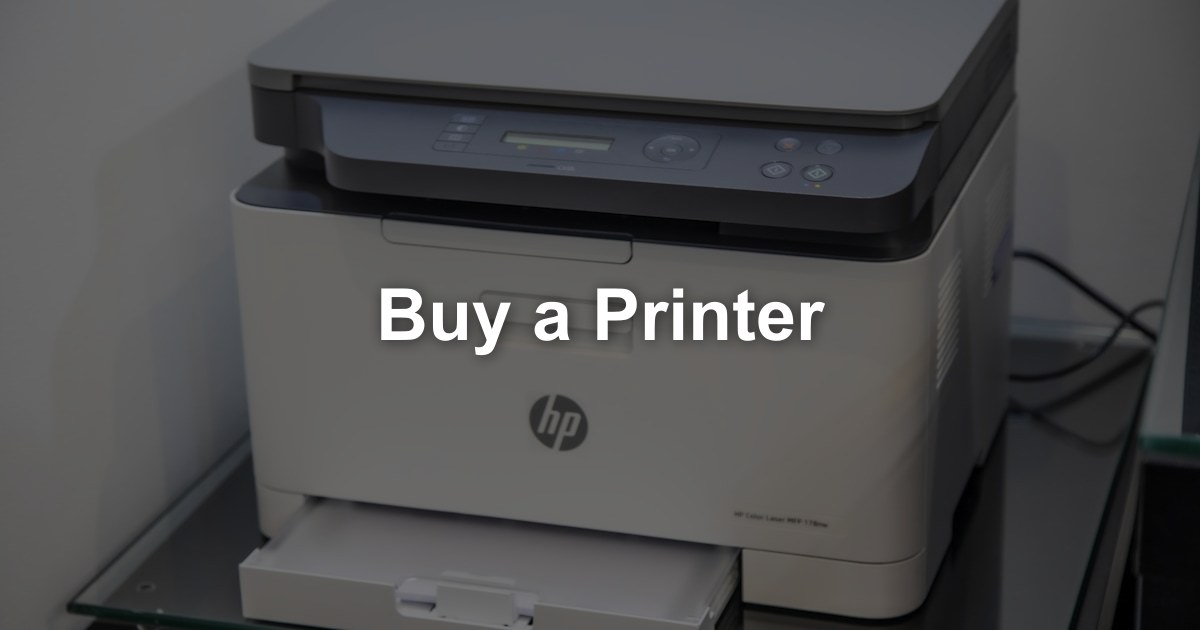
Your request: Buy a Printer
Describe your need once. We pass it to our partners active in your region, who contact you directly with a quote within 48 hours. Free, no obligation.
Buying a business printer is a significant outlay. This page helps you decide when buying is the right choice and what to budget for beyond the purchase price.
When Does Buying a Printer Make Sense?
Buying a printer outright is the right choice in some situations:
Cash available — you have the budget and prefer to pay once rather than commit to monthly payments.
Long use — you plan to keep the same device for many years without major changes.
Low volumes — you print little, so a service contract or lease is hard to justify.
Accounting — your accountant confirms that owning the device suits your situation.
Independence — you want full ownership, with no contract term or minimum volume.
What Drives the Cost of Buying a Printer?
The purchase price is only the start. Toner, wear parts and repairs keep coming for as long as you keep the device, so compare offers over the years you plan to use it.
| Factor | What to give or check in the proposal |
|---|---|
| Class and speed | A desktop A4 printer and an A3 floor-standing multifunction are different purchases. Give your monthly volume so the class is right. |
| Colour or black & white | Colour costs more to buy and to run. Say whether you really need it. |
| Format and finishing | A3, a booklet finisher, extra trays, fax or a card reader: list only what you will use. |
| New or refurbished | For a refurbished device, ask which parts were replaced and get the warranty in writing. |
| Set-up | Check whether delivery, installation, network set-up and a short training are in the price or charged apart. |
| Toner and wear parts | Ask for the toner yield and the expected replacement of drums and fuser at your volume. |
| Repairs and warranty | Without a maintenance contract, each call-out is billed separately. Ask what an extended warranty or a contract would cover. |
For a device with steady volumes, a lease or a service contract with a cost per page is often easier to budget. Ask our partners to set out buying and leasing side by side for your volumes.
Optional Maintenance Plans
If you buy your device, consider a separate maintenance contract:
What a maintenance contract usually covers:
- Preventive maintenance visits
- Repairs with an agreed response time
- Replacement of worn parts
- Phone support
- Optionally: toner
Typical service levels:
| Level | What is included |
|---|---|
| Basic | Preventive maintenance and phone support |
| Standard | Basic, plus repairs and parts |
| All-in | Standard, plus toner (often per page) |
Describe your need to receive details of the maintenance options for your device.
Our advice:
For a business multifunction device, a maintenance contract is usually worth it: unplanned repairs on a larger office machine can quickly become expensive.
Choosing the Right Printer to Buy
Once you have decided to buy, choosing the right device is essential. Consider:
Print volume
- How many pages do you print per month?
- Compare this with the device's recommended monthly volume, not its maximum duty cycle
- An undersized device wears out early
Colour
- Do you need colour?
- Colour devices cost more to buy and to run
- Consider a black & white device plus a separate colour printer if your volumes justify it
Functions
- Print only, or also copy and scan?
- Automatic double-sided printing?
- Wi-Fi and mobile printing?
- Scan to email or cloud storage?
- Secure print release?
Brand and service
- Choose a brand that a supplier in your region can service
- Check the price and availability of toner and parts
- Check how long parts will remain available
Warranty
- What does the standard warranty cover?
- Can it be extended?
- Is repair on site or does the device have to be sent in?
Frequently Asked Questions
Reasons to Buy a Printer in 2026
Buying remains a sound choice in specific situations:
- Full ownership — The device is yours: no lease term, no end-of-contract return, and you keep it as long as it runs reliably.
- Low or stable volumes — For an office printing moderate volumes, a well-chosen device can run for years without major costs.
- One-off expense — The purchase is paid once or financed, rather than through a monthly fee. How the asset is treated for tax purposes is a question for your accountant.
- Free choice of service — You decide whether to add a maintenance contract, and whether toner comes under contract or is bought as needed.
- Refurbished option — A professionally refurbished device with a warranty lowers the purchase price when you don't need the latest model.
How Buying a Printer Works, Step by Step
Describe Your Need
Monthly volume, share of colour, A4 or A3, number of users, finishing, location, and whether you prefer new or refurbished. We pass it to our partners active in your region, who contact you directly with a quote within 48 hours. Free, no obligation.
Needs Check
The dealer checks your volumes (or the counters of your current device), your space and network, and recommends a model whose recommended monthly volume matches your real use.
Purchase Proposal
The proposal states the purchase price, delivery and installation, the warranty and what it covers, and — if you want one — a separate maintenance contract with cost per page, toner, parts and response time.
Delivery, Installation and Training
The dealer delivers the printer, connects it to your network, installs drivers and scan functions, and shows your team the essentials.
Maintenance and Replacement
Under a maintenance contract, service and supplies are handled by the dealer; without one, repairs and toner are paid as they come. At end of life, plan the replacement and the wiping of the device's storage.
Recommendations for Buying the Right Printer
Before you buy, these checks help you avoid the most common mistakes:
Size the Device to Your Real Volume
Read the page counters on your current devices and choose a model whose recommended monthly volume fits. Too small wears out early; too large costs more to buy and to run.
Check Running Costs Before Buying
Ask for the toner yield and price, the cost of drums and other wear parts, and the cost per page under a maintenance contract, in black & white and colour.
Get Warranty and Service Terms in Writing
What does the warranty cover, and is it on site? With a maintenance contract, what is the guaranteed response time, and is there a minimum volume or term?
Think About Security and Energy
Look for secure print release, user codes and an encrypted hard disk, and plan to wipe it before resale or disposal (GDPR). Compare sleep-mode energy consumption between models.
Buying a Printer in Belgium: Belgian Particularities
A few points are specific to buying a printer in Belgium:
- Languages — Control panels, drivers and user guides are generally available in French, Dutch and English. Ask for the language your staff need on the device, and check that support can be given in it.
- VAT on a purchase — In general, VAT on a purchase is paid on the full price at once, whereas a lease spreads it over the monthly invoices. How the device is depreciated depends on your situation; ask your accountant.
- Local dealer service — Buying from a dealer that services your region matters as soon as a repair is needed. That is why we pass your request to our partners active in your area.
- Delivery and the old device — In Brussels and city centres, access and parking affect delivery. Ask whether the dealer takes back your old device for recycling through approved channels, after its storage has been wiped.
Describe your need once: our partners active in your region contact you directly with a quote within 48 hours. Free, no obligation.
What's Included
Related articles
Complete Guide to Printer Leasing in Belgium 2026
Everything you need to know about printer leasing in Belgium. Lease vs buy, tax advantages, and what to check in a lease proposal.
How to Choose the Right Office Printer for Your Business
A comprehensive guide to selecting the perfect office printer. Learn about print volume, features, costs, and which printer type suits different business sizes.
Printer Rental for Events: Everything You Need to Know
Complete guide to renting printers for conferences, trade shows, film productions, and corporate events. Learn what to consider and what to check in the proposal.
Our other services
Need Help Buying a Printer?
If you're purchasing, tell us what you need. Our partners in Belgium contact you directly with a quote within 48 hours.
Find my supplier