REF. SVC-04 — Service sheet
Multifunction Printer Rental and Leasing in Belgium
All-in-one devices: print, copy, scan and fax in a single machine.
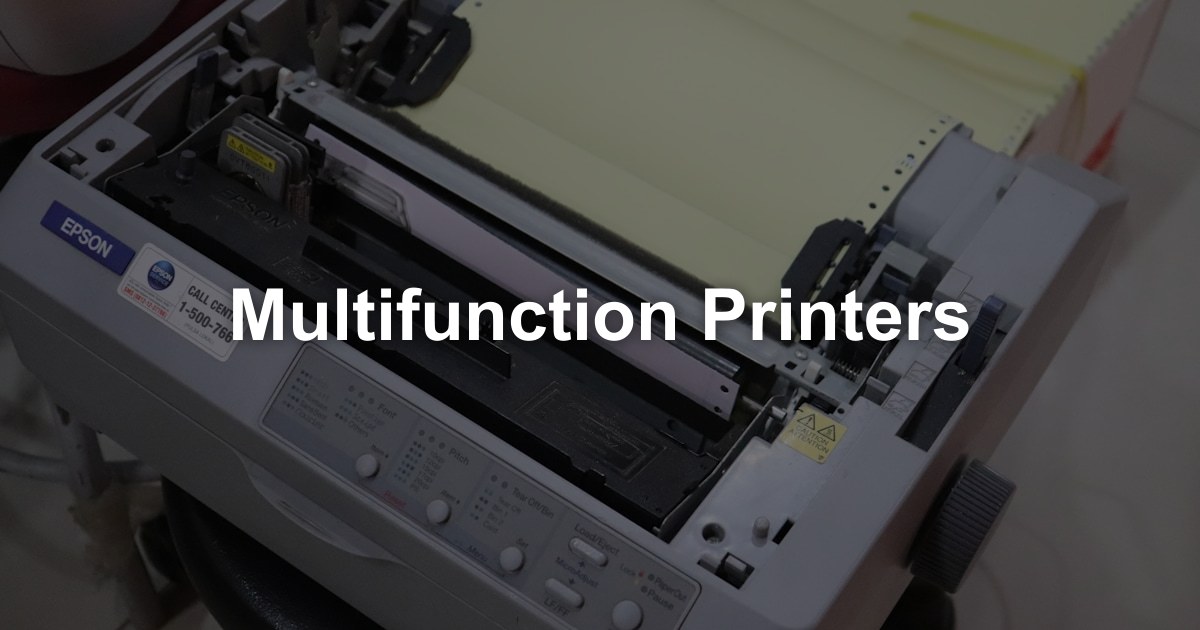
Your request: Multifunction Printers
Describe your need once. We pass it to our partners active in your region, who contact you directly with a quote within 48 hours. Free, no obligation.
A multifunction printer (MFP) combines printing, copying, scanning and often fax in one device. Here is what to consider before choosing one for your organisation.
Several Functions in One Machine
A current multifunction printer covers the main document tasks of an office:
The core function. Office MFPs range from compact A4 desktop models to fast A3 floor-standing machines, in black & white or colour.
Copy
Copy without a computer: place the originals on the glass or in the document feeder, choose the options and press start.
Scan
Turn paper into digital files and send them to email, a network folder, a USB stick or cloud storage. Text recognition (OCR) makes scanned documents searchable.
Fax (some models)
Fax use has declined, but some sectors still rely on it. Many office MFPs offer it as an option.
Types of Multifunction Printers
MFPs come in several classes to meet different needs:
Desktop MFPs
- Suited to: small offices and a few users
- Size: compact, fits on a desk or cabinet
- Format: usually A4
- Volume: light to moderate
Workgroup MFPs
- Suited to: teams and departments
- Size: floor-standing or on a stand
- Format: A4 or A3, with finishing options such as stapling
- Volume: moderate to high
Production MFPs
- Suited to: print rooms and high-volume environments
- Size: large, often with booklet finishers
- Volume: very high
Describe your need: our partners propose the class of device that matches your volumes.
Key Specifications to Consider
When choosing a multifunction printer, check these specifications:
Speed (ppm)
Given in pages per minute, usually for single-sided A4. Match it to your real workload rather than choosing the fastest model.
Paper handling
- Standard tray capacity?
- Total capacity with optional trays?
- Paper sizes supported (A4, A3, envelopes)?
- Heaviest paper weight supported?
Document feeder
- Automatic document feeder (ADF) capacity?
- Single-pass duplex scanning (both sides at once)?
- Or a reversing feeder, which turns the page over (slower)?
Connectivity
- Wired network?
- Wi-Fi?
- USB?
- Printing from phones and tablets?
- Scanning to cloud storage?
Security
- Secure print release (badge or PIN)?
- User authentication?
- Encryption and wiping of stored data?
- Audit logs?
Advantages of Consolidating with an MFP
Replacing separate printers, copiers and scanners with one MFP brings real benefits:
Lower costs
- One device instead of several
- One service contract
- Lower energy use than several separate devices
- One set of consumables to manage
Simpler administration
- One device to manage
- One driver to install on each workstation
- Central usage tracking
- Simpler user support
Less space
- Several functions in one footprint
- Office space freed up
- A tidier office
Better workflows
- Scan straight to email or cloud storage
- Connect to document management systems
- Less paper handling
MFP Leasing in Belgium: What the Contract Covers
Many businesses in Belgium lease or rent their MFP rather than buy it. Here is what to know:
Contract terms:
- Leases are often 36 to 60 months
- Check the notice period and the end-of-term options before you sign
What is usually included:
- The MFP, delivered and installed
- Preventive maintenance
- Repairs
- Replacement parts
- Phone support
- Often: toner (check the contract)
MFP classes:
| MFP class | Suited to | Volume |
|---|---|---|
| Desktop A4 colour | Small teams | Light |
| Workgroup A4 colour | Growing teams | Moderate |
| A3 floor-standing colour | Larger offices | High |
| Production A3 | Print rooms | Very high |
Describe your need: our partners propose a class and contract terms that match your volumes.
Frequently Asked Questions
Why Choose Multifunction Printers in 2026
A multifunction printer (MFP) replaces separate printers, copiers and scanners with one networked device:
- One device, several functions — Print, copy, scan and optionally fax from a single machine, with one service contract and one toner supply.
- Scanning into your workflow — Scan to email, to a network folder or to cloud storage, with text recognition on many models.
- Secure printing — Badge or PIN release keeps confidential documents from waiting in the output tray.
- Cost control — User codes and counters show who prints what, in colour and in black & white.
- A size for every office — From A4 desktop models for a few users to A3 floor-standing devices with finishing for whole departments.
Getting a Multifunction Printer, Step by Step
Describe Your Need
Monthly volume, share of colour, A4 or A3, number of users, scan destinations, finishing, fax, location — and whether you prefer to lease, rent or buy. We pass it to our partners active in your region, who contact you directly with a quote within 48 hours. Free, no obligation.
Site Visit and Needs Check
The supplier looks at your current devices and their counters, the space available, the network and where scans need to go.
Proposal
You receive the proposed model with the monthly fee or purchase price, the cost per page, and what is included: delivery, installation, maintenance, toner, the service level (SLA) and the term.
Installation, Scanning Set-Up and Training
The MFP is connected to your network, with drivers, scan-to-email and scan-to-folder profiles, address book and user codes or badge release. Your team gets a short introduction.
Service, Toner and End of Term
Toner is supplied, often automatically from the device's readings, and repairs are handled under the SLA. At the end of the term you renew, upgrade or return the device, with its data wiped.
What Drives the Cost of a Multifunction Printer?
The class of the device and how much you print. An MFP sized above your needs costs more every month without adding anything, so start from your counters, not from the brochure.
| Factor | What to give or check in the proposal |
|---|---|
| Class (desktop, workgroup, production) | Speed, recommended volume and paper capacity set the class. Ask why the proposed class fits your volume. |
| A4 or A3 | Choose A3 only if you print A3 regularly. Say how often you do. |
| Monthly volume and colour share | Give black & white and colour counters separately; ask for a page cost for each and the included volume, if any. |
| Finishing and options | Stapler, booklet finisher, hole punch, fax board, card reader, extra trays: list only those you will use. |
| Term and service level | The term, the repair response time and whether toner is included all change the fee. Get each one in writing. |
| New or refurbished | If a refurbished device is proposed, ask for the warranty and service terms that come with it. |
Ask our partners for the device fee or purchase price and the page costs in one document, with any minimum volume and the end-of-term options.
Tips for Choosing the Right Multifunction Printer
These points help you pick an MFP that fits how your office really works:
Start from Your Page Counters
Read the counters of your current printers and copiers over a few months, separating black & white and colour. Count scans too: some offices scan more than they print.
List Your Scan Destinations
Email, network folders, document management or cloud storage: list them before the site visit, and check that scan-to-email works with your email provider's security settings.
Check the Contract Details
Cost per page, any minimum volume, the SLA in writing, and the conditions at the end of the term: renewal, upgrade or return.
Secure and Right-Size the Device
Use secure print release for confidential documents, ask for an encrypted hard disk and its wiping at return (GDPR), compare energy consumption, and don't oversize.
Multifunction Printers in Belgium: Local Context
A few points are specific to multifunction printers in Belgium:
- French, Dutch and English — Control panels, drivers and support are generally available in all three languages. Also check that text recognition on scans handles both French and Dutch documents.
- Lease, rent or buy — MFPs are often leased with service included, but rental and purchase are also possible. VAT is paid monthly on a lease and at once on a purchase; ask your accountant about the tax treatment.
- Regional suppliers — Many print dealers work in a defined region. A supplier based near your office can send a technician and deliver consumables more easily, which is why we pass your request to our partners active in your area.
- Delivery of floor-standing models — A3 floor-standing MFPs are heavy and bulky. In Brussels and city centres, parking, stairs and lift size should be checked before delivery.
Describe your need once: our partners active in your region contact you directly with a quote within 48 hours. Free, no obligation.
What's Included
Related articles
How to Choose the Right Office Printer for Your Business
A comprehensive guide to selecting the perfect office printer. Learn about print volume, features, costs, and which printer type suits different business sizes.
Printer Rental for Events: Everything You Need to Know
Complete guide to renting printers for conferences, trade shows, film productions, and corporate events. Learn what to consider and what to check in the proposal.
Colour vs Black & White Printers: Which is Right for You?
A detailed comparison of colour and monochrome printers. Understand the costs, use cases, and factors that determine which type your business needs.
Our other services
Find the Right Multifunction Printer
Describe your requirements. Our partners in Belgium propose an MFP sized to your volume and your activity.
Find my supplier