REF. SVC-07 — Service sheet
Wide Format Printer Leasing and Rental in Belgium
Large format printing for architects, engineers and designers.
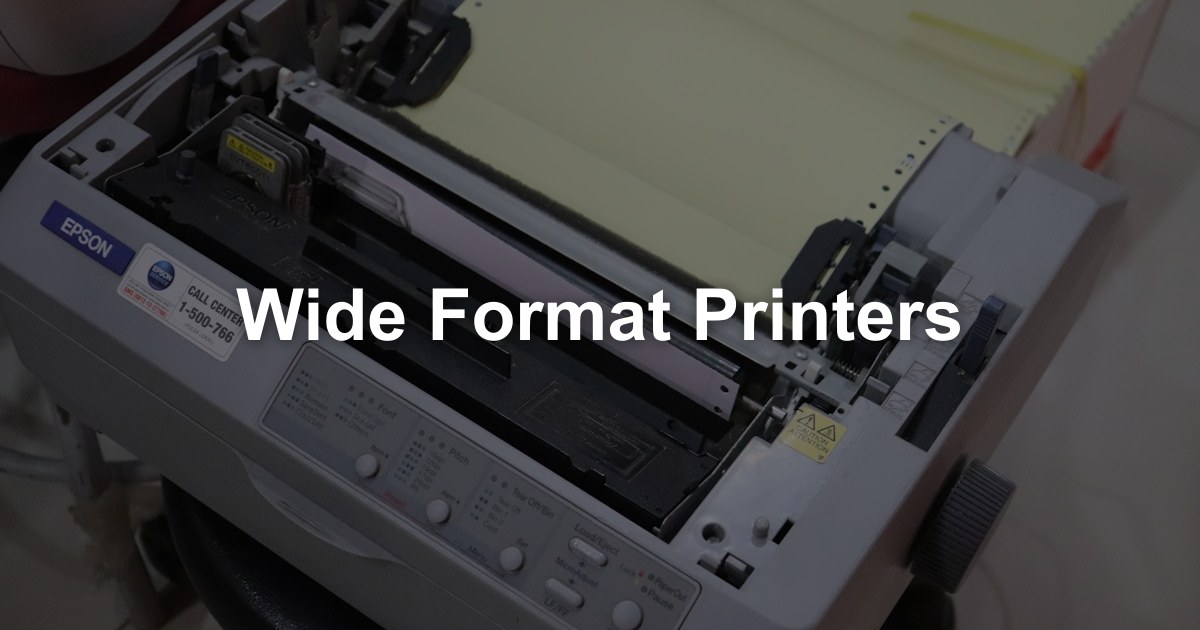
Your request: Wide Format Printers
Describe your need once. We pass it to our partners active in your region, who contact you directly with a quote within 48 hours. Free, no obligation.
Wide format printers print on media wider than A3, from A2 up to A0 and beyond, usually from rolls. They are essential for architects and engineers, and are also used for posters, signage and display material.
Who Uses Wide Format Printers?
Wide format printers serve specific professional needs:
Architecture & construction
- Building plans
- Site drawings
- Construction details
- Presentation boards
Engineering & manufacturing
- Technical drawings
- Assembly and production documents
- Quality documentation
Marketing & design
- Posters
- Point-of-sale material
- Exhibition graphics
- Proofs
Surveying & GIS
- Maps
- Survey plans
- Site and terrain plans
Education & research
- Scientific posters
- Large visuals
- Teaching material
Types of Large Format Printers
Wide format printers fall into a few categories:
Technical (CAD) printers
- Designed for: line drawings and plans
- Technology: inkjet
- Common widths: 24 and 36 inches (up to A1 and A0)
- Strength: fast output of plans
Photo and graphics printers
- Designed for: posters, photos and fine art prints
- Technology: pigment inks, often with extra colours
- Common widths: 24 to 60 inches or more
- Strength: high image quality
Production and signage printers
- Designed for: high-volume display and outdoor work
- Technology: latex, eco-solvent or UV-curable inks
- Common widths: 54 inches and wider
- Uses: banners, signage, vinyl
Describe your need: our partners propose the type and width that match your work.
Key Considerations for Wide Format Printers
When choosing a wide format printer, look at these factors:
Maximum width
The widest roll the printer accepts:
- 24 inches (610 mm): up to A1
- 36 inches (914 mm): up to A0
- 44 inches (1,118 mm): larger posters and graphics
- 60 inches and wider: banners and signage
Print speed
Technical printers usually state speed in A1 prints per minute, graphics printers in square metres per hour. Compare figures measured the same way.
Resolution and line quality
Resolution is measured in dpi. For CAD work, line accuracy and the sharpness of fine lines matter as much as the headline resolution.
Ink type
- Dye-based ink — vivid colours and lower cost, but fades faster in daylight
- Pigment ink — more durable, better for display and long-lasting prints
- Latex ink — water-based, low odour, for indoor and outdoor use; prints come out dry
- UV-curable ink — cures instantly, very durable, prints on many rigid and flexible materials
Media handling
- Roll feed, sheet feed or both?
- Maximum media thickness and weight?
- Media types supported (coated paper, photo paper, canvas, vinyl)?
Leasing a Wide Format Printer in Belgium
Many organisations lease their wide format printer rather than buy it:
Why lease a wide format printer?
- High purchase price — wide format printers are a significant investment
- Technical maintenance — printheads and calibration need trained technicians
- Renewal — move to current technology at the end of the term
- Consumables — ink and service are often included in the contract
Wide format printer types:
| Printer type | Suited to |
|---|---|
| 24-inch CAD printer | Small practices, occasional plans |
| 36-inch CAD printer | Architecture and engineering offices |
| 44-inch technical printer | Larger firms, plans and posters |
| Graphics printer | Marketing and posters |
| Production system | Print and signage businesses |
Lease contracts usually cover the device, service and phone support, and often ink. Check in writing whether printheads are included too.
Frequently Asked Questions
Reasons to Choose a Wide Format Printer in 2026
A wide format printer (plotter) pays off when you regularly print beyond A3:
- Plans when you need them — Last-minute revisions for a site meeting or a permit file can be printed in-house, without a trip to a print shop.
- Confidential drawings stay in-house — Plans and technical documents don't leave the office to be printed.
- Posters and signage in short runs — Graphics models print posters, point-of-sale material and event visuals in small quantities.
- Scan and copy large originals — Models with an integrated scanner copy and digitise large-format plans for archiving.
- Lease, rent or buy — Plotters can be leased with service, rented for a project or bought, depending on how regularly you use them.
Getting a Wide Format Printer, Step by Step
Describe Your Need
What you print (CAD line drawings, maps, posters, photos), the maximum width, your volume per month, indoor or outdoor use, scanning needs and your location. We pass it to our partners active in your region, who contact you directly with a quote within 48 hours. Free, no obligation.
Site Check
The supplier checks the space for the plotter on its stand, room for loading rolls and collecting prints, the network, and access to bring the machine in.
Proposal
You receive the proposed model with the purchase price or monthly fee, ink and printhead costs, media, maintenance, the SLA and the term.
Installation, Software and Training
The plotter is connected, drivers are installed for your CAD or graphics software, media settings are configured, and your team learns to load rolls and send jobs.
Ink, Media and Service
Ink cartridges and printheads are replaced as they wear, media is reordered, repairs are handled under the SLA, and at the end of the term you renew, upgrade or return the device.
What Drives the Cost of a Wide Format Printer?
Width, ink and media, more than the number of prints. A plotter that prints line drawings and one that prints full-colour posters on vinyl are two very different contracts, even at the same width.
| Factor | What to give or check in the proposal |
|---|---|
| Print width | Give the largest format you print (A1, A0 or wider). Width sets the device class. |
| Type of output | Say whether you print line drawings, maps, posters or photos. Ink use differs widely between them. |
| Ink technology | Dye, pigment, latex or UV: say whether prints are for indoor, outdoor or long-term display. |
| Media | List the papers and films you use: bond paper, photo paper, canvas, vinyl. Check which media the model supports. |
| Volume | Estimate your square metres per month. High volumes may call for a faster production model. |
| Scanner, stacker and service | Check in writing whether the scanner, output stacker, printheads and the SLA are part of the contract. |
Ask for the cost per square metre or per print alongside the device fee, so ink, printheads and media are counted from the start.
Recommendations for Choosing a Wide Format Printer
Wide format devices are specialised equipment. These points help you choose the right one:
Define Width and Output Type
Decide the largest format you need and whether you print mainly line drawings or colour graphics. The two call for different models and inks.
Estimate Your Volume in Square Metres
Count the plans and posters you print each month, or the invoices from your print shop, and convert them into square metres. It is the basis for sizing the device and the ink budget.
Check Consumables and Service Terms
Ask for ink and printhead costs, compatible media, the guaranteed response time and what happens at the end of the term, in writing.
Plan Space, Security and Energy
Allow room for rolls and output, keep confidential plans behind user access, ask for stored files to be wiped at return (GDPR), and check standby consumption.
Wide Format Printers in Belgium: Market Specifics
A few points are specific to wide format printing in Belgium:
- ISO paper sizes — Belgian plans use ISO A sizes (A0, A1, A2). A 24-inch (610 mm) roll covers A1 width and a 36-inch (914 mm) roll covers A0 width.
- Plans on site — Paper plans remain in daily use on building sites and in meetings, even when files are exchanged digitally.
- Languages — Control panels, drivers and user guides are generally available in French, Dutch and English. Ask for the language your staff need on the device, and check that support can be given in it.
- Regional suppliers and access — Plotter specialists often cover specific regions, and delivery in Brussels or city centres depends on parking and building access. We pass your request to our partners active in your area.
Describe your need once: our partners active in your region contact you directly with a quote within 48 hours. Free, no obligation.
What's Included
Our other services
Need Wide Format Capability?
Tell us your widths, media and volumes. Our partners in Belgium propose wide format devices for architects, engineers and designers.
Find my supplier